
Creating a session
Name, source of statistics, strategy, journal session, asset, starting capital and dates.
7.3.1The window
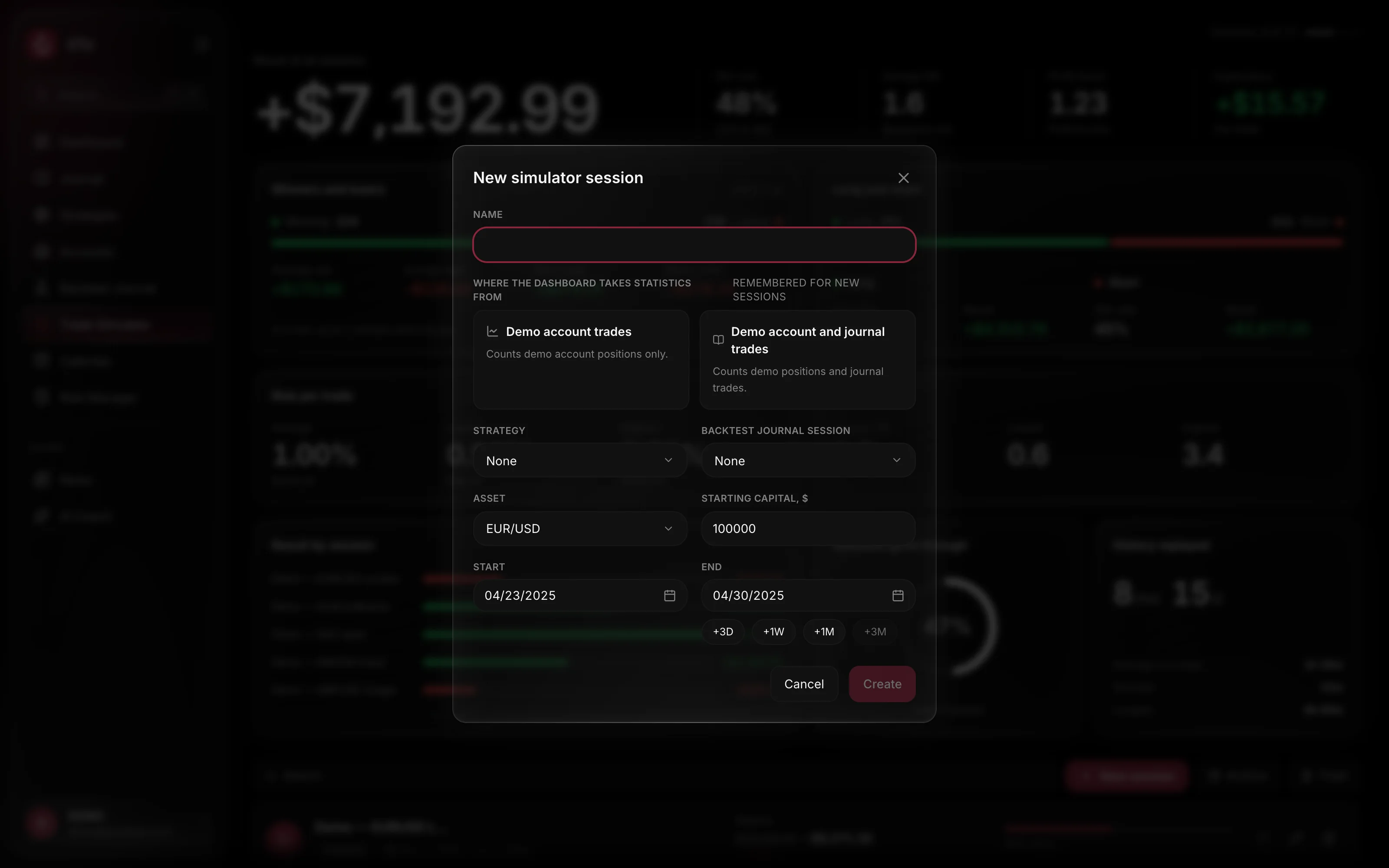
New session opens New simulator session. It only needs a name, a source of statistics and dates, but every field is worth a moment.
Name appears in the session list. You can enter up to 14 characters.
7.3.2Where statistics come from
Where the dashboard takes statistics from has two choices, and you must pick one on your first session. After that, the app suggests your last choice.
Demo account trades counts all positions you close in the simulator, automatically.
Demo account and journal trades adds trades you create independently through the blank trade form on the chart. A closed demo position still counts once if you save it to the journal. The statistics source leaves the demo balance unchanged.
7.3.3Strategy
Strategy ties the session to one of your backtest strategies. The name then shows on the row, and any trade you send to the journal comes with it filled in. The list shows only backtest strategies, not real ones.
7.3.4Linking a journal session
Backtest journal session sets the first choice in the menu for saving a trade. The simulator uses that session’s starting balance and locks the capital field. If no balance is set for the linked session, the simulator starts at $100,000. A balance of zero is carried over. Without a link, you can edit Starting capital, $.
Think about the size. If you test with $100,000 but you trade $5,000 for real, the dollar amounts will not feel like yours; choose an amount close to what you actually use.
7.3.5Asset and dates
Asset is one of the six instruments. Choosing another one resets the dates, because each has its own range of data.
Start and End are the stretch of history. Start is the place where the chart will stop at first. The buttons +3D, +1W, +1M and +3M set the end that far from the start. Longer periods are tied to your plan, and a button that is not available says which plan opens it: a month from Just, three months from PRO MAX.
If you choose an end beyond your plan's maximum, the window moves it back and tells you. If your plan's history starts later than the date you chose, the start is moved and the window says this too.
Create makes the session and opens it.
Read also7.4 The workspace6.4 Backtest strategies6.3.9 Settings of a backtest session