
One trade in several sessions
A trade exists once and sessions point to it, which decides what deleting really does.
3.7.1One trade, several sessions
A trade exists once, and sessions point to it. The same trade can belong to June, to Breakouts and to Prop challenge. An edit in one of them is visible in all three, and nothing is copied. The trade is always in the Main Archive as well.
This gives you several views of the same trades, by time, by setup and by account, without entering a trade twice. On a plan that counts trades, such a trade counts once.
3.7.2Attaching and detaching
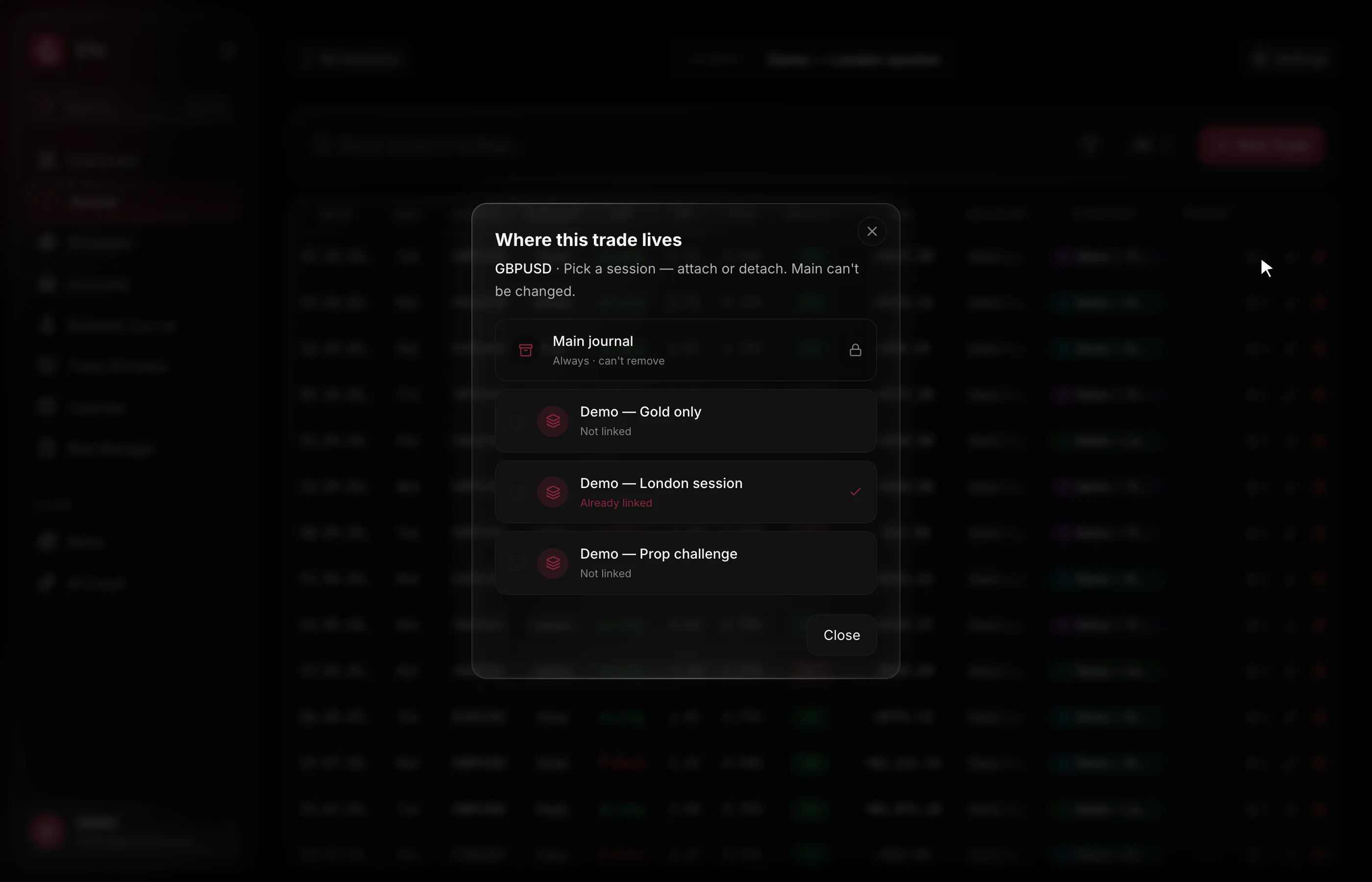
The first moment to choose sessions is right after a new trade, in the window Add to other sessions?. Later the same is done from the table.
- Press in the row of the trade. The window Where this trade lives opens.
- Choose a session in the list. The words under its name say Already linked or Not linked.
- Press Attach to add the trade to this session, or Detach to take it out.
Main Archive stands first with the words Always · can't remove.
3.7.3What deleting really does
works differently depending on where you press it.
- In a session, when the trade belongs to other sessions too. The button of the window is Remove. The trade leaves this session and stays in the others and in the Main Archive.
- In the only session of the trade. The button is Delete. The trade is deleted for good, with its notes and screenshots.
- In the Main Archive. The button is Delete. The trade is deleted for good from every session.
A full delete cannot be undone.