
Market
NAS100: practise and record US Nasdaq 100 index
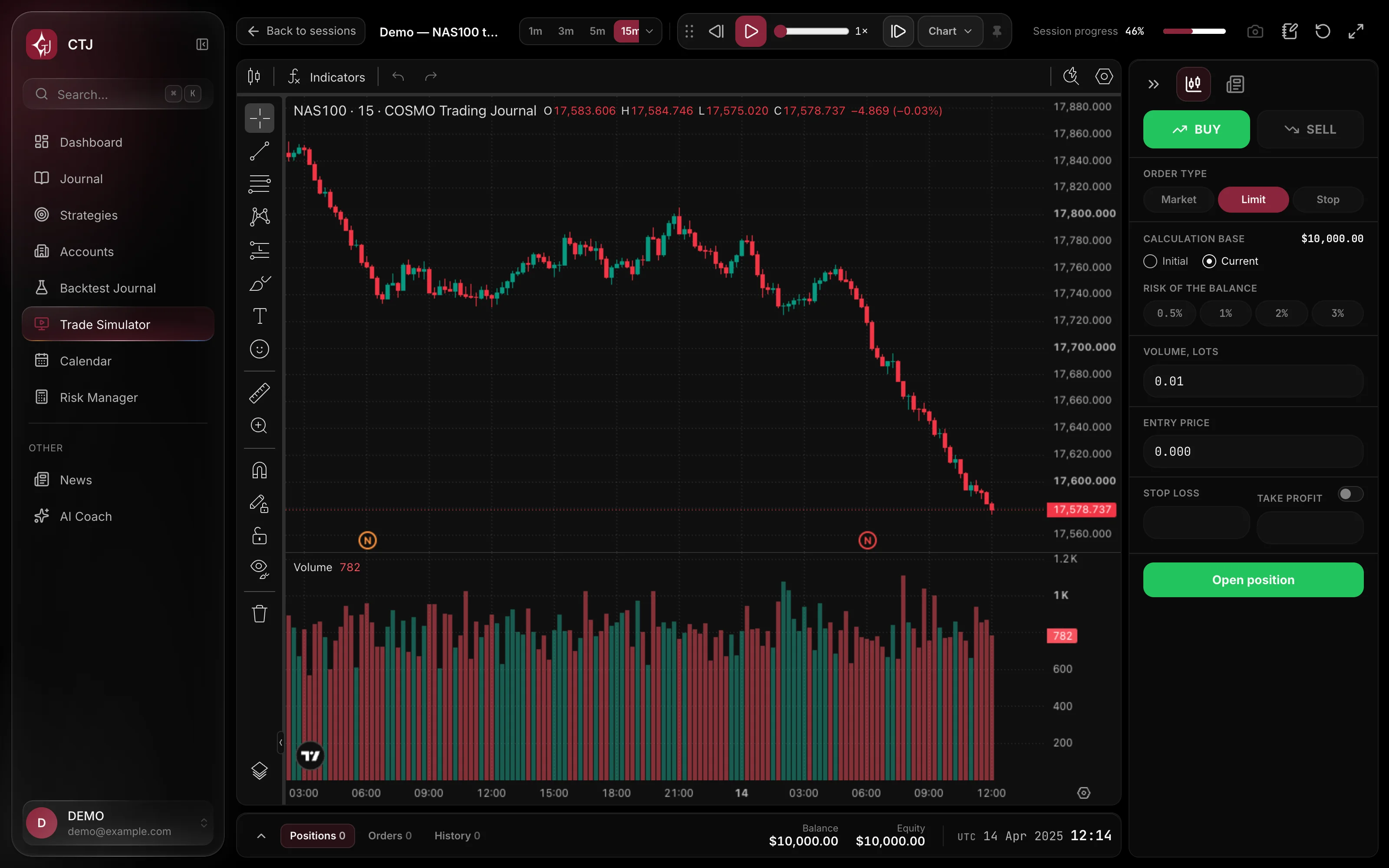
NAS100 (Nasdaq 100) is one of the 6 markets of the CTJ simulator. Replay its past bars, place orders with a stop and a target, and log what you learn in the backtest journal. Real NAS100 trades go to the real-trade journal, apart from tests.
Contract facts
- Contract size
- 1
- Tick size
- 0.001
- Quote currency
- USD
- Lot step
- 0.01
- Minimum lot
- 0.01
- Maximum lot
- 100
One tick on one lot moves the result by 0.001 USD.
Simulator charts are built on the TradingView Advanced Charts library.
How to use NAS100 in CTJ
- Open the Trade Simulator and create a session on NAS100: choose the period and the starting balance.
- Play the bars. Enter with a market, limit or stop order and set the stop and target on the chart.
- Read the session's statistics and keep the trades that matter in the backtest journal.
The numbers above work out position size: use the free calculator below with NAS100 and your stop.
The journal takes any ticker, so NAS100 trades can be logged there in any case.