
The table of trades
Columns, search, filters by day, month, date, outcome, strategy and account, and the order of trades.
3.4.1The table of trades
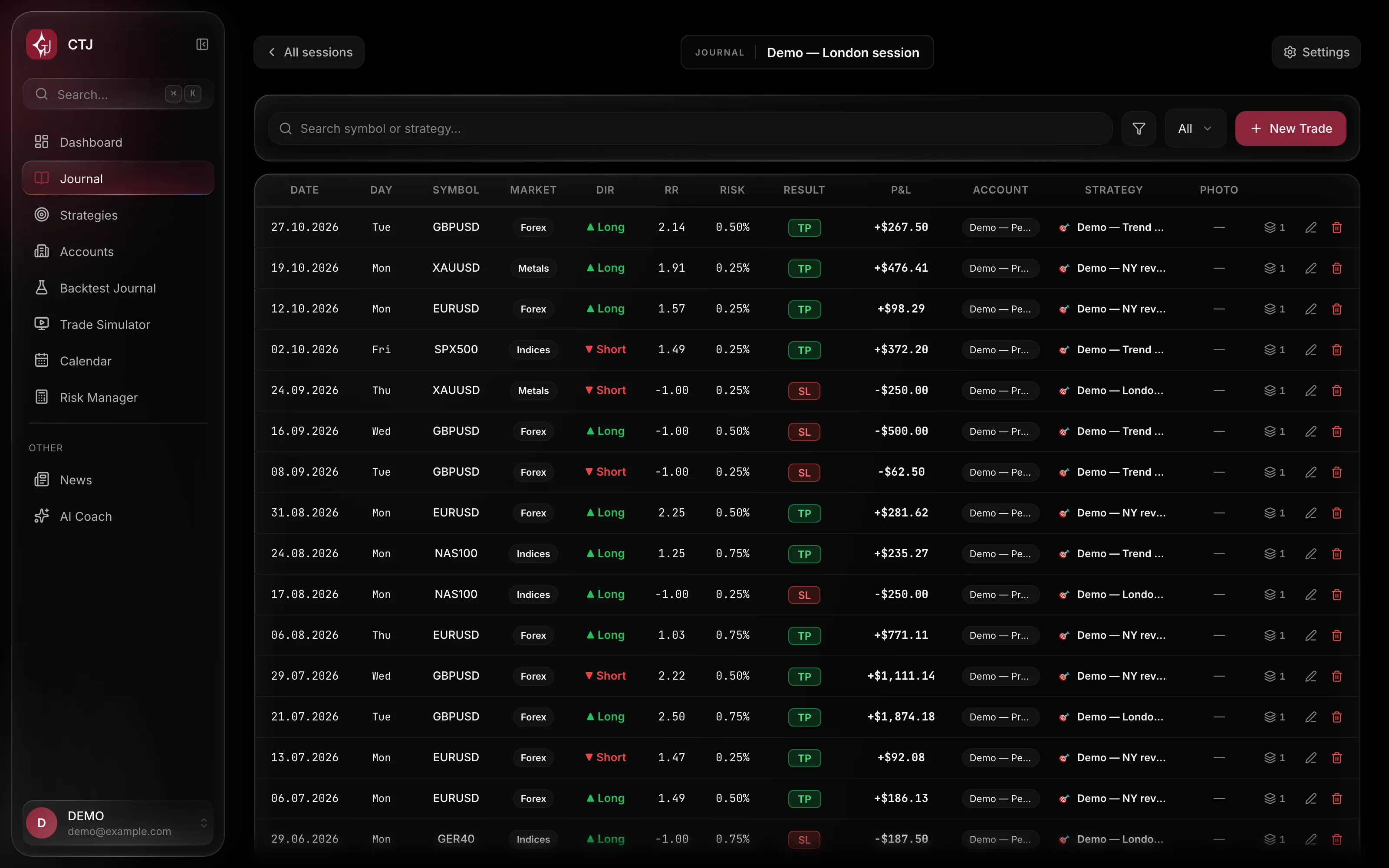
Inside a session the trades stand in a table, one row for each trade. The plate in the middle of the top line shows the name of the session. All sessions on the left returns to the cards.
| Column | What it shows |
|---|---|
| Date and Day | The entry date and its day of the week |
| Symbol and Market | The instrument and its market |
| Dir | ▲ Long or ▼ Short |
| RR and Risk | The values you entered, or a dash |
| Result | The marks TP, BE and SL |
| P&L | The result in dollars, green or red |
| Account and Strategy | Where the trade belongs |
| Photo | The number of screenshots. A click opens them |
The last two columns hold buttons. shows how many sessions the trade belongs to and opens their list. opens the trade for editing. removes it.
3.4.2Showing more
The table opens with 50 trades. Show more under the table adds up to 100 with every press. The line beside it counts the rows, for example Showing 50 of 312.
3.4.3Search and market
Search symbol or strategy… narrows the table while you type. It looks through the symbol and the name of the strategy. The list beside it leaves one market, Forex, Crypto, Stocks, Futures, Metals or Indices. All shows every market again.
3.4.4The filter window
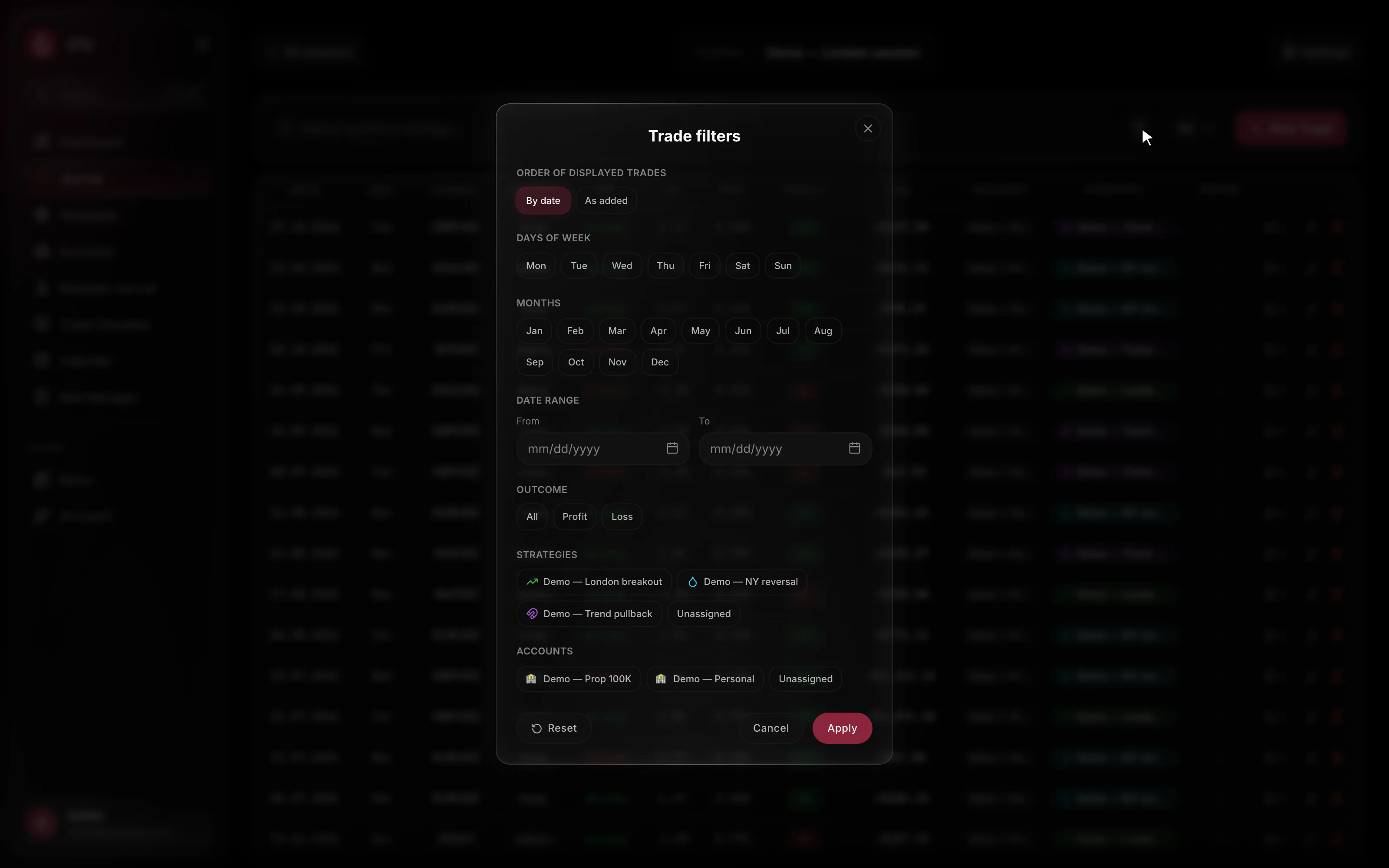
opens Trade filters. The button is lit while the table is filtered or sorted in an unusual way.
- Days of week and Months are rows of buttons. Press as many as you need.
- Date range has two dates, From and To. Fill in both.
- Outcome has All, Profit and Loss. A trade at exactly zero belongs to Profit.
- Strategies and Accounts list what you have created. Unassigned finds trades without a strategy or without an account.
Within one group the buttons widen the choice. Two days show the trades of both days. Different groups narrow it. A day together with a loss shows the losing trades of that day.
Nothing changes in the table until Apply. Reset clears every group and returns the order to By date. The filter stays while you are on the page.
3.4.5The order of trades
The first group of the filter window is Order of displayed trades.
- By date puts the latest entry date and time on top.
- As added puts the trade you recorded last on top. This is convenient when you enter old trades in batches.
The order is saved in your account, one for the real journal and one for the Backtest Journal. It changes the list only. Statistics always follow the dates of the trades.
Read also3.5 Recording a trade3.7 One trade in several sessions2.2 One account or one strategy