
Reader Mode
Show your journal to a mentor without giving them your account, and take the access back at any time.
12.3.1What Reader Mode is
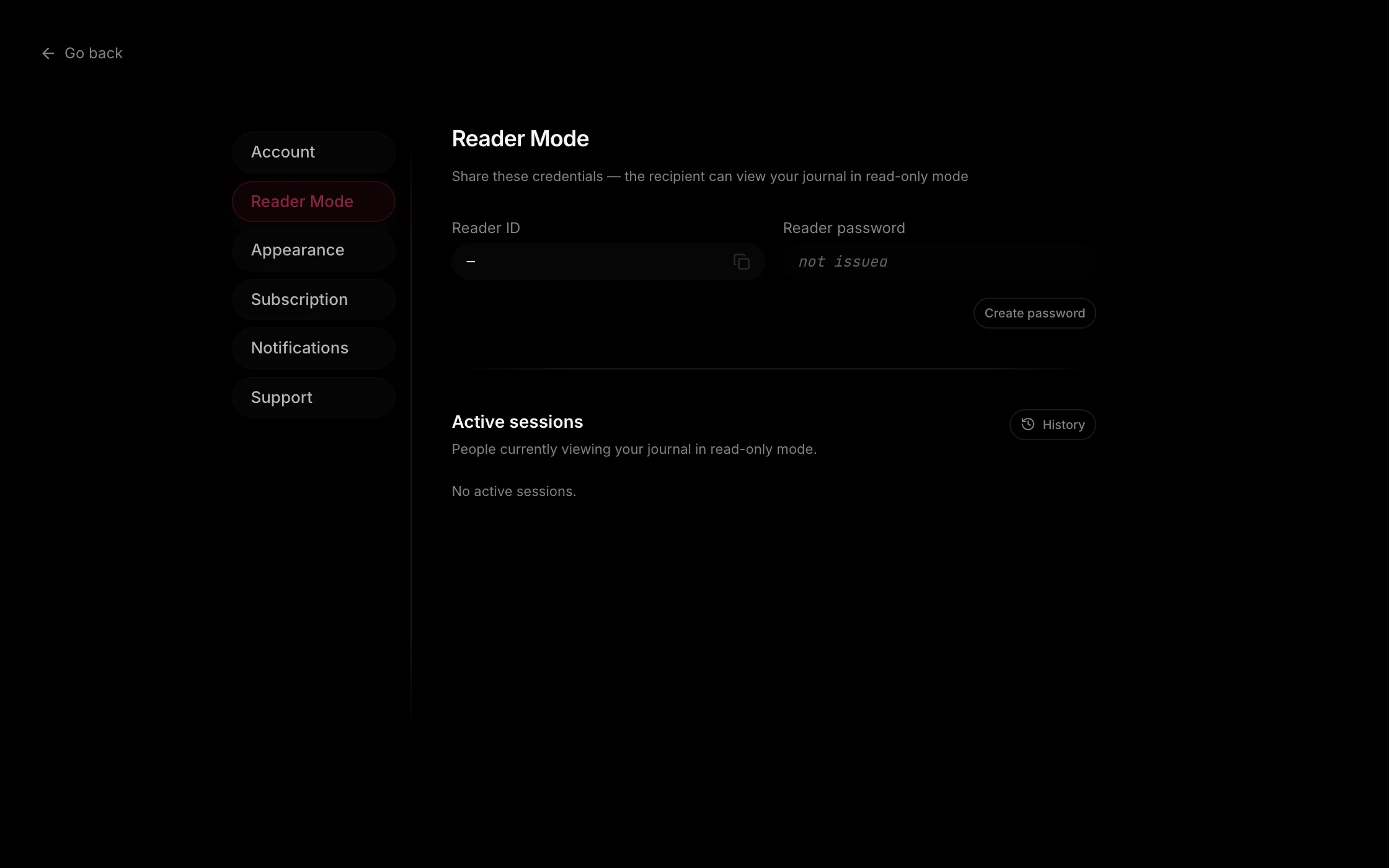
Reader Mode lets you show your journal to someone without giving them your account: a mentor, a coach, a friend from a trading group. They see your real statistics and trades, and they cannot change anything. It is available from the Just plan; on Starter, the tab offers you an upgrade.
12.3.2Creating access
The tab shows a Reader ID, which is made for you. Press Create password to make a Reader password. Each field has a copy button . Use the eye button to show or hide the password. Send these two values to the person you want to give access to.
They go to the sign-in screen, press Reader Mode, enter the ID and password with their name and email, and they are in.
12.3.3What a reader sees
Readers can open Dashboard, Journal, Strategies, Calendar, Risk Manager and News. They can filter trades by account on the Dashboard. The separate Accounts tab and its notes and images are for the owner.
In the Journal, readers can view the full list and open visible sessions. The owner can add, edit and delete entries. Readers can open strategies and trade images for viewing.
When the owner clicks the eye on a session, that session appears or disappears for readers within a few seconds. If a reader has the session open when it is hidden, they return to the full list. A trade in hidden sessions only disappears from both the journal and statistics. A trade that also belongs to a visible session stays visible.
The Backtest Journal, Trade Simulator and settings are private. Readers lose access if the owner switches to Starter.
12.3.4Who is looking
Active sessions lists People currently viewing your journal in read-only mode, by name and profile picture. A green dot marks readers who are online. Kick ends a session. In History, select Details for a past session to see the reader's email and device, when they joined, when they were last seen, when the session ended and how long it lasted.
How many readers can be active at once depends on the plan: 3 on Just, 12 on PRO MAX and 100 on VIP. Beyond that, a new reader sees a message that you have reached your limit.
12.3.5Taking access back
Change password generates a new password and ends active reader sessions. Share the new password to restore access. Delete password also ends all sessions. Readers can sign in again after you create a new password.
Read also1.2.10 Reader Mode on the sign-in screen3.1.6 Hiding a session from the statistics