
The account window
Name, type, starting balance, currency, emoji and colour, note and images.
5.2.1Filling in the window
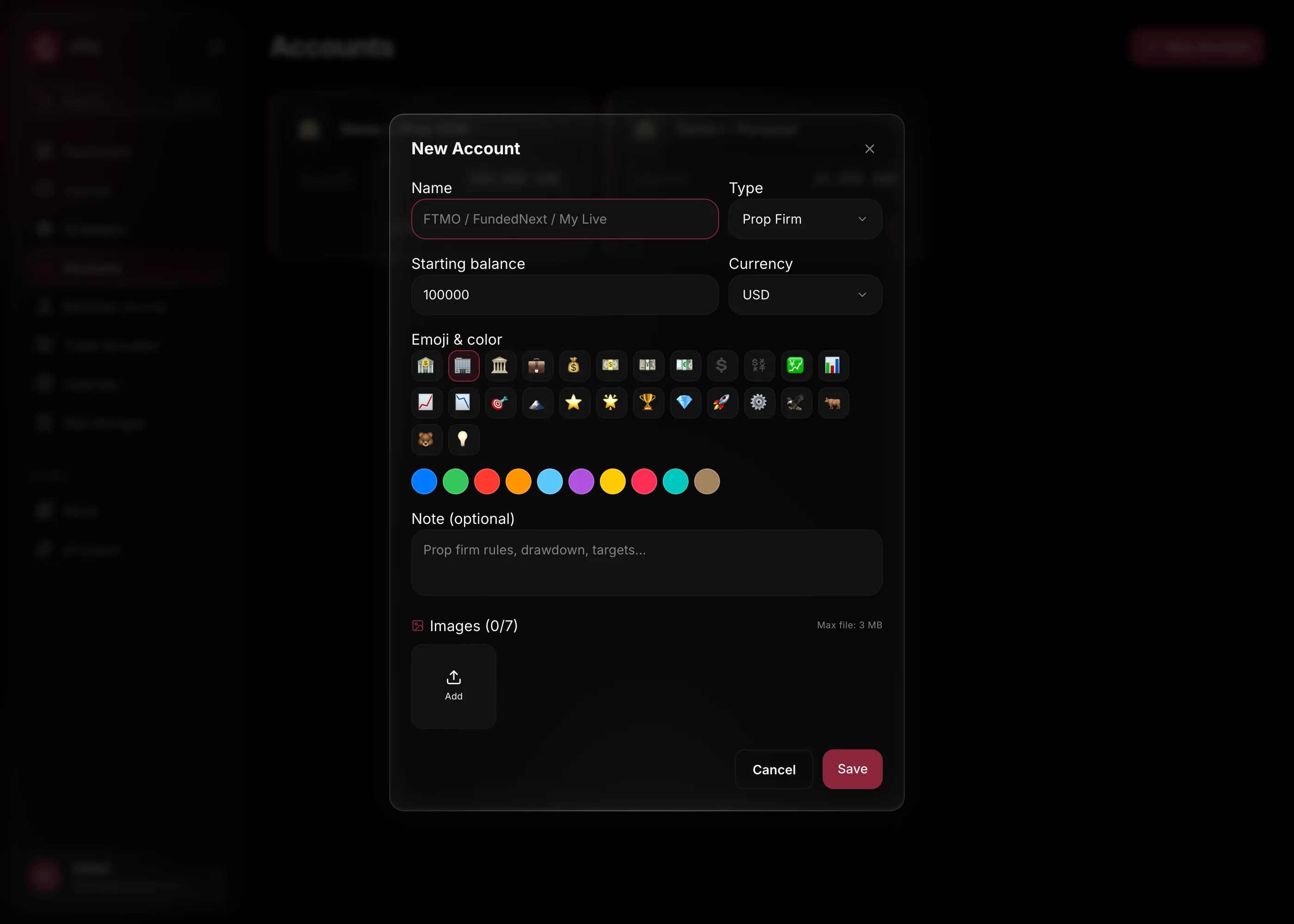
New Account at the top right opens the window. The name is the only required field. The defaults are Prop Firm, USD and a starting balance of 100,000.
- Name is visible in the trade form, in the table and on the chips. Make it short, for example Prop 100k.
- Type is Personal, Prop Firm, Demo or Managed. It is a label on the card and in the summary.
- Starting balance is the money the account started with. The drawdown in the summary of this account counts from it.
- Currency is USD, EUR, GBP, USDT or BTC. It stands beside the balance. Results of trades are in dollars, and nothing is converted.
The balance of the whole journal is another number. It is on the Account tab of the settings, and the Dashboard equity chart starts from it in With deposit mode.
5.2.2Look, note and images
Emoji & color has 26 emojis and 10 colours. Choose a pair you will recognise in a long row of chips.
Note (optional) is a plain text field for what you need to remember, for example the rules of a prop firm, the allowed drawdown or a target. The limit is 500 characters on Starter, 3,000 on Just, 12,000 on PRO MAX and 50,000 on VIP. The card shows the beginning of the note, and the summary on the Dashboard shows all of it.
Images is a tray for pictures, for example a screenshot of the rules. Press Add and choose a file. removes a picture. An account holds 1 on Starter, 3 on Just, 7 on PRO MAX and 10 on VIP. One file can have up to 1 MB on Starter, 1 MB on Just, 3 MB on PRO MAX and 3 MB on VIP.
5.2.3Connecting an account to your trades
An account begins to work when trades carry it. There are two ways.
- Choose it in the field Account of a trade.
- Set it as the default of a session. Every new trade in that session opens with the account filled in.
With one account for each session, the second way saves a step in every trade.
Read also3.2.5 Default strategy and account2.11.3 By account and by strategy