
What the Dashboard shows
It reads your journal and works everything out by itself, from real trades only.
2.1.1What this tab is for
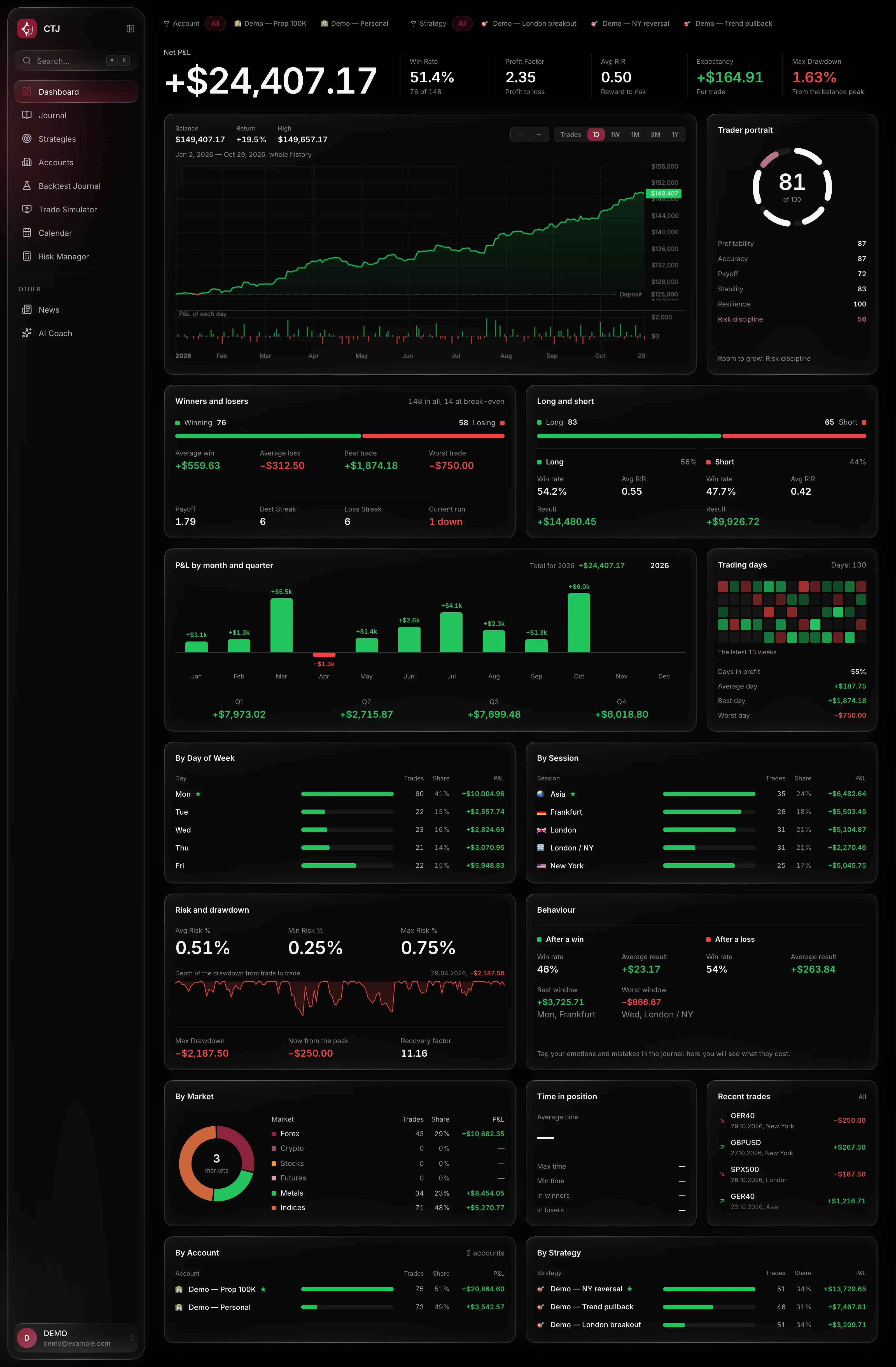
Dashboard shows how your real trading goes. It reads the trades of the Journal and turns them into numbers and charts. You enter nothing here. Add, edit or delete a trade in the journal, and the numbers follow at once.
Only real trades are counted. Backtests and simulator trades have dashboards of their own and do not reach this one.
The screen reads from top to bottom. First comes the overall result with five figures. The equity chart and the trader portrait stand under it. Then follow the winners and losers, the year, the days and hours you trade best, your risk, your behaviour and the markets. The last cards show your accounts and strategies. Every card belongs to one question, and a figure rarely appears twice.
2.1.2Where the numbers begin
A new Dashboard is empty until the first trade is in the journal. The card Recent trades then has the button Add your first trade, which opens the Journal.
Some cards need more than one trade. The trader portrait waits for 10 trades. A trading window needs 3 trades on the same weekday in the same session. Risk discipline needs 5 trades with a filled Risk % field.
A dash instead of a number means there is nothing to count yet.
2.1.3Which trades are left out
Two kinds of trades are not counted on this screen.
The first kind lives only in sessions you have hidden. Every session card in the Journal has an eye button . Press it, and the session leaves the statistics while its trades stay in the journal. This is a way to set aside an experimental month. A trade that also belongs to a visible session is still counted.
The second kind is frozen after a plan ended. Such a trade is covered in the journal and returns to the statistics with a payment.
2.1.4A review that takes five minutes
A useful weekly review follows a short path down the screen.
- Look at Expectancy. It says what one trade brings on average.
- Look at the Trader portrait and read the line Room to grow. It names your weakest side.
- Press the chip of each strategy in turn. See which one carries the result.
- Look at the card Behaviour. See what the tagged mistakes cost.
- Write down one thing you will change next week.
Read also2.2 One account or one strategy2.3 The result and the five main figures3.1.6 Hiding a session from the statistics