
Appearance
Themes, language, time zone and where your equity chart starts.
12.4.1Themes
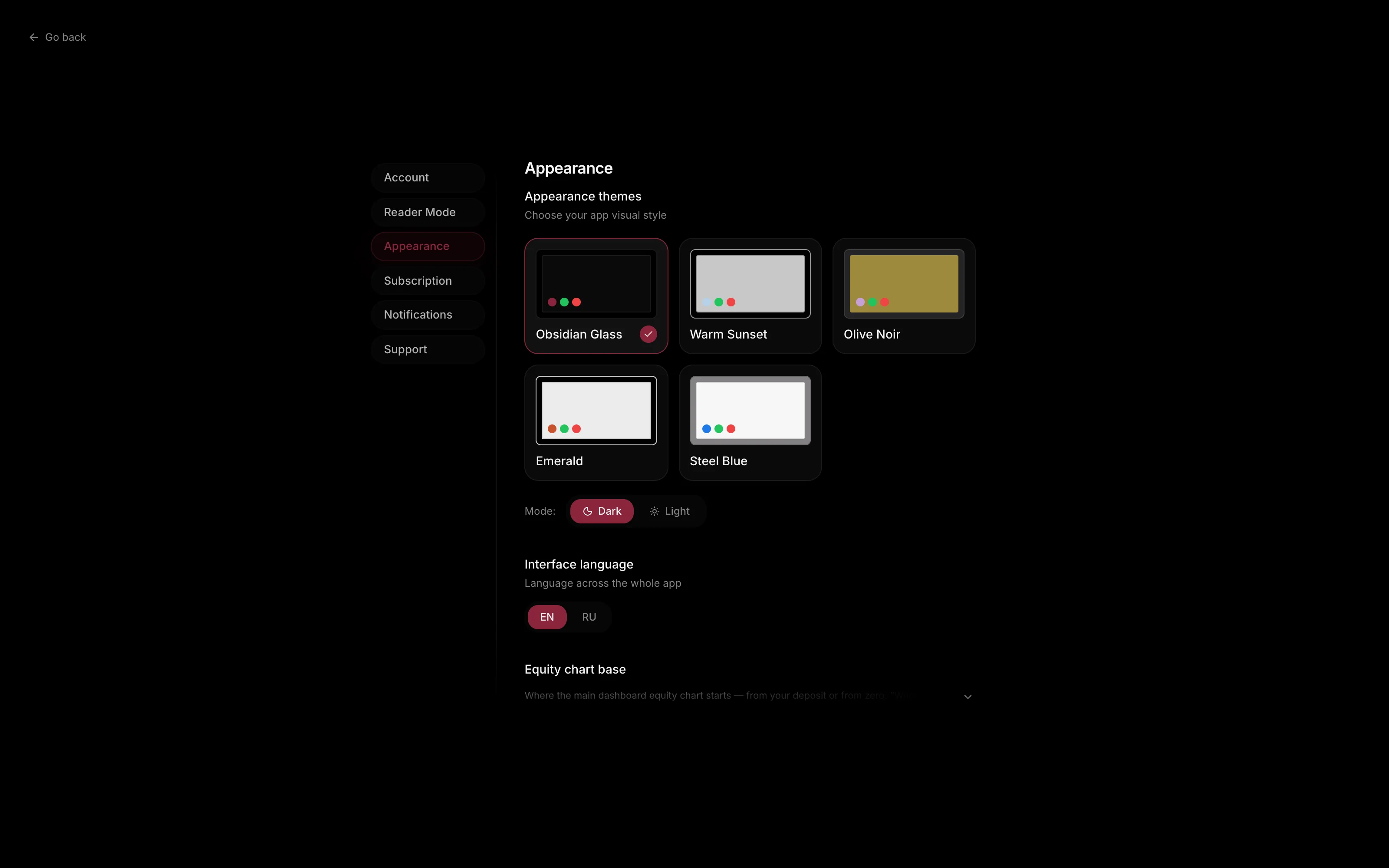
Appearance themes shows five themes as small previews of the app: Obsidian Glass, Warm Sunset, Olive Noir, Emerald and Steel Blue. Click a preview to apply the theme. Starter includes the first theme (1). A lock marks the other themes, which are available from Just.
Use Mode under the themes to select Dark or Light. Light mode is available for Obsidian Glass. The other themes use dark mode. The switch in the account menu controls the same setting.
12.4.2Interface language
Interface language switches the whole app between English and Russian, and the choice stays with your account. The same switch is in the account menu.
12.4.3Time zone
Time zone matters more than it looks. Set the zone you trade in, and the times you enter are read in that zone, the trading session of each trade is worked out correctly, and the simulator uses it by default. You can choose a different time zone for the simulator chart and clock in the simulator. The default, Auto — same as browser, takes it from your computer.
A saved trade keeps the time zone it was entered in. Changing the app setting later leaves that trade's time as it was.
12.4.4Equity chart base
Equity chart base says where the curve on your main Dashboard starts. With deposit uses your starting balance and follows your capital after each trade. From zero ignores the deposit and shows only the sum of your results. Drawdown and the figures built on it follow the same choice. Choose From zero if your deposit changes often, or if you trade several accounts and a single starting number would mean little.
Below it there is the same choice for the Backtest Journal, Equity chart base — Backtest Journal. There With deposit starts at a fixed $10,000, since a backtest has no real deposit. Each session's card has its own switch, independent of both.
Read also2.4.5 Starting from the deposit or from zero3.5.2 Time