
The position calculator
Start from what you agree to lose, and it works back to the lots.
9.1.1What it answers
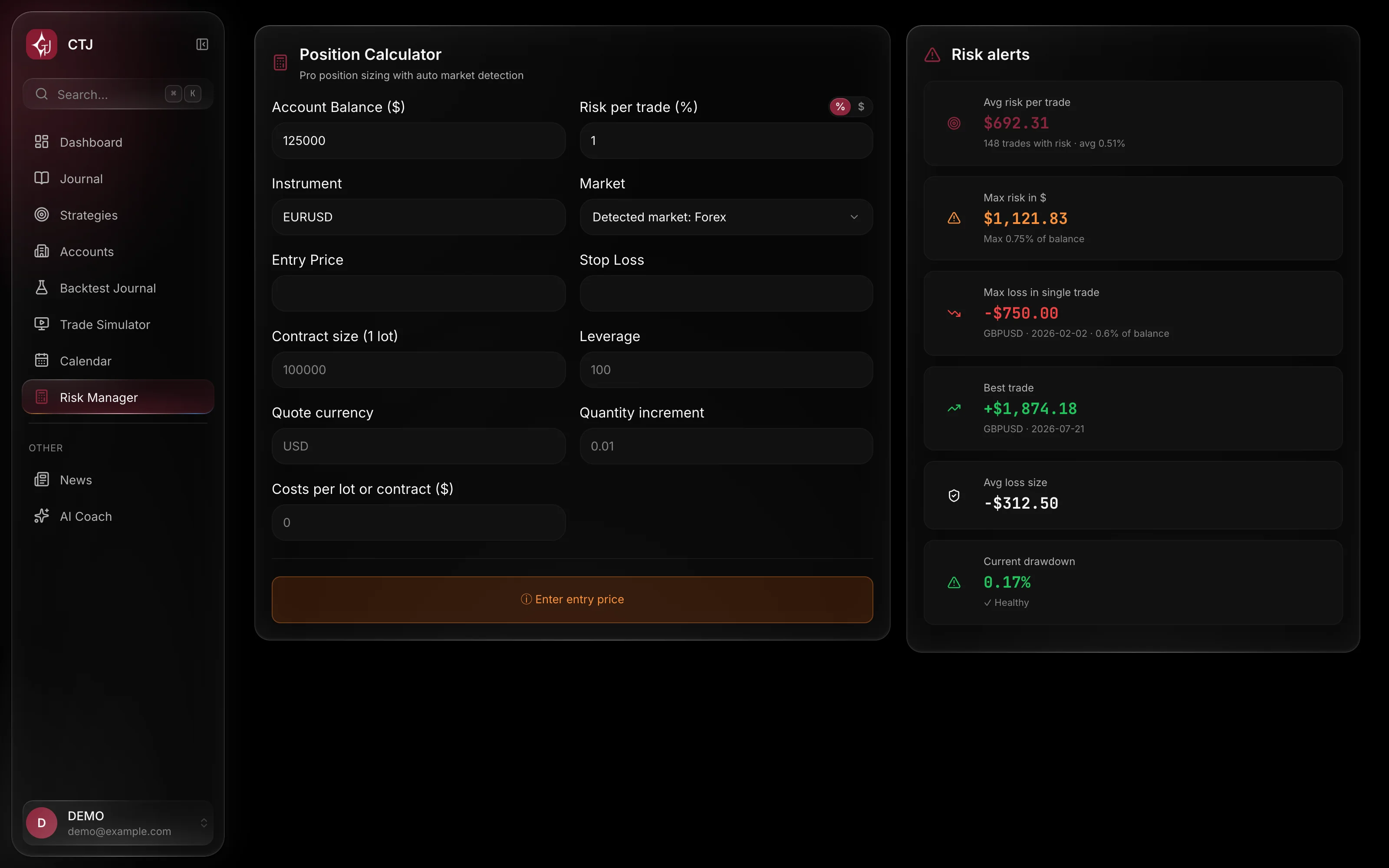
Risk Manager answers the question you should ask before every trade: how big may this position be? A stop on its own says nothing about money. The same stop can cost $100 or $10,000, depending on the size of the position. The calculator starts from what you agree to lose and works back to the lots, so your risk stays the same however far away your stop is.
It calculates instantly as you type, without any button, and it changes nothing in your journal until you ask it to.
9.1.2What you fill in
Enter the USD account balance, the ticker, the entry price and the stop loss. The switch beside the risk label has % and $ on it: the sign under its knob is the one chosen, a share of the balance or an amount in dollars. Switching units converts the value using the balance you entered.
The ticker suggests a market. Choose it yourself if your broker classifies the instrument differently. A stop below the entry means a long position. A stop above the entry means a short position.
- Forex, metals and indices. Enter the contract size per lot and the leverage. The grey placeholders are examples. Use the figures in your broker's instrument specifications.
- Futures. Enter the contract multiplier and the minimum price increment, or tick. Entry and stop prices must fall on valid ticks. Enter the initial margin per contract in dollars if you want a margin estimate.
- Quote currency. The calculator fills it in when it can identify it from the symbol. Enter it yourself if the symbol is unrecognized or your broker uses another currency. USD quotes need no conversion. For a pair such as USDJPY, the calculator can convert using the entry and stop prices. For EURGBP, enter the dollar value of 1 GBP.
- Quantity step and costs. Enter the lot increment if your broker uses a different one. The defaults are 0.01 lots or one futures contract. Costs can include opening and closing fees and an allowance for slippage. Enter the total in dollars per lot or contract.
9.1.3What you get
The result shows the position size in lots or contracts, the risk at that size, and the loss per lot or contract including the costs you entered. The calculator rounds the size down to a tradable increment, so the estimated risk can be lower than your budget. If the smallest size exceeds the budget, the calculator tells you it does not fit.
Notional value is the value of the whole position. Estimated margin is how much money you need to set aside to open it. For futures, it appears once you enter initial margin per contract. Check the specifications and margin with your broker. Slippage or a price gap can make the actual loss larger than the estimate.
9.1.4A worked example
Use a $10,000 balance, 1% risk, an entry of 1.0850 on EURUSD and a stop at 1.0830. In this example the broker specifies 100,000 euros per lot and 100× leverage. Enter those figures.
The 20-pip stop costs $200 per lot. A $100 risk budget allows 0.5 lots. The notional value is $54,250, with estimated margin of $542.50, about 5.4% of the balance.
Switch risk to $. The field shows $100 and the position size stays the same. Move the stop to 1.0800, and the size falls to 0.2 lots on the same budget.